Reconcile CDR billing with a persistent audit trail.
Upload carrier CDRs inside your organization workspace, confirm mappings with sampled data, run the worker-backed reconciliation, and explore discrepancies before downloading the report.
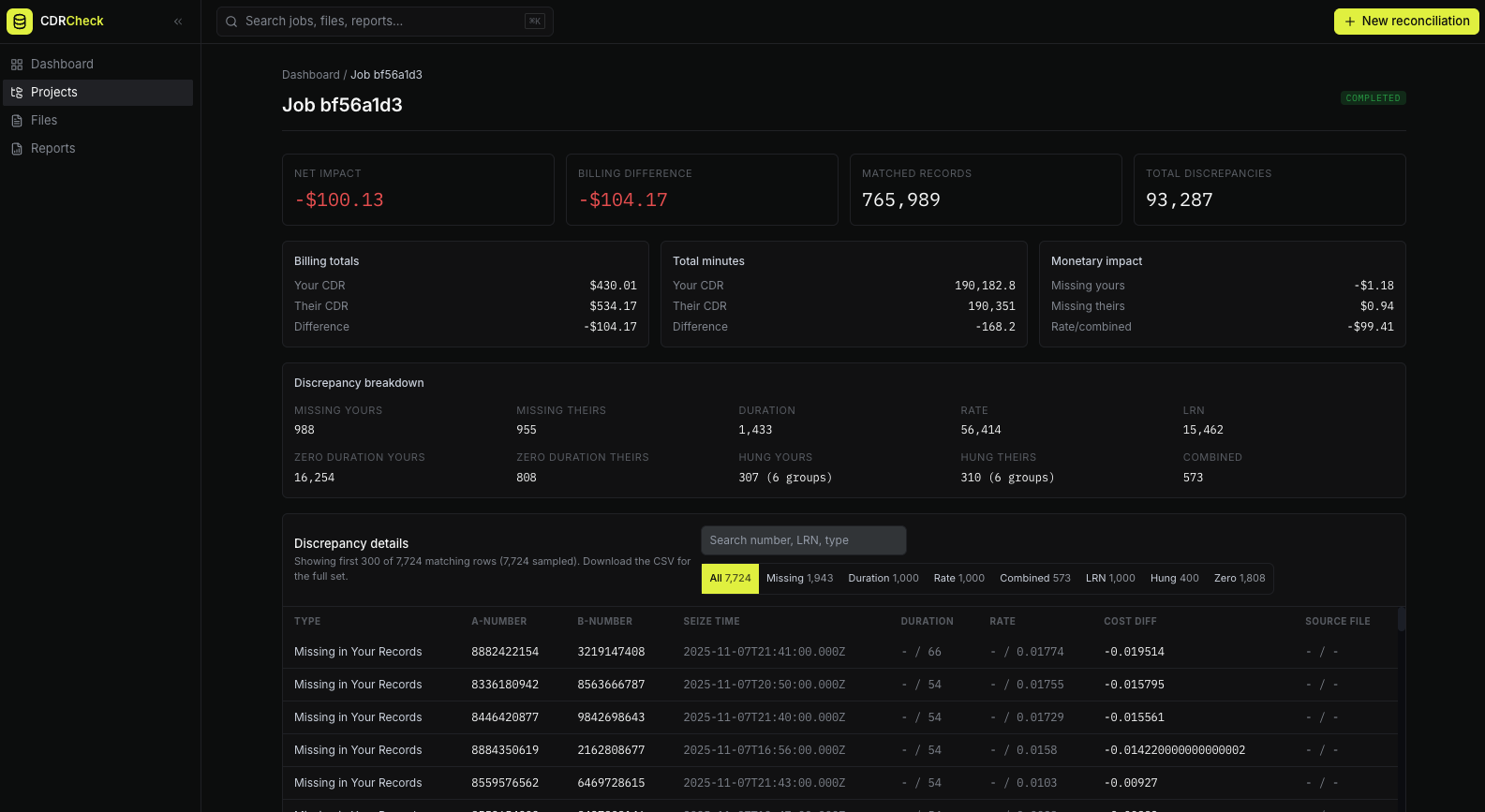
Built for scale and precision
Purpose-built for VoIP carriers handling millions of daily records. Every detail matters when reconciling billing.
Find billing leakage
Compare internal CDRs against provider records and isolate missing calls, rate drift, duration mismatches, LRN mismatches, and cost impact.
Persistent reconciliation history
Every signed-in run is attached to your organization, with files, jobs, reports, and downloads available after the browser closes.
Readable report output
Use the in-app report explorer for investigation, then download a structured CSV for accounting and dispute workflows.
Lightning fast
Process large CDR files with a worker-backed reconciliation engine built for carrier-scale datasets.
Intelligent matching
Normalize phone numbers and compare calls across provider systems with timestamp, duration, rate, and LRN checks.
Clear reports
Review discrepancy categories with monetary impact, then export a CSV built for accounting and dispute workflows.
Tenant isolated
Each reconciliation runs inside an authenticated organization workspace with scoped files, jobs, and reports.
Timing aware
CDR comparisons account for carrier timing differences so close matches are handled consistently.
Format flexible
Upload CSV, XLSX, ZIP, or GZ files and map any carrier schema to the canonical CDR format.
Three steps to reconciliation
From account setup to actionable discrepancy review without exposing public uploads.
Create your workspace
Sign up and run reconciliations inside your organization. Files, jobs, and reports persist after the browser closes.
Upload and map
Drop internal and provider CDRs, confirm detected mappings with sampled values, and fix anything suspicious before running.
Review results
Explore missing calls, duration mismatches, rate differences, LRN mismatches, and monetary impact in the report explorer.
See it in action
The signed-in app replaces the old one-off browser workflow with a dashboard, project history, persistent files, and completed reports.
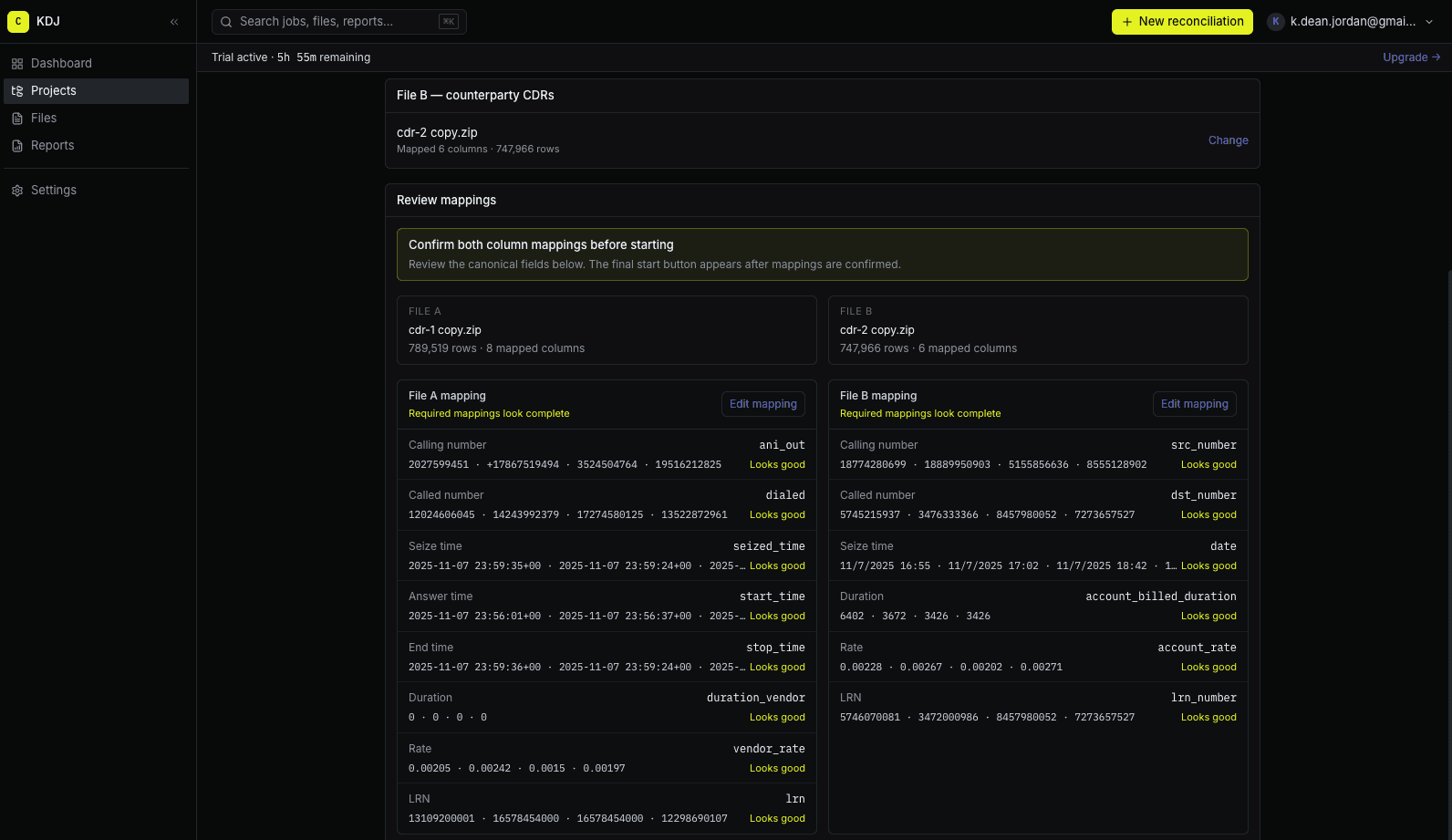
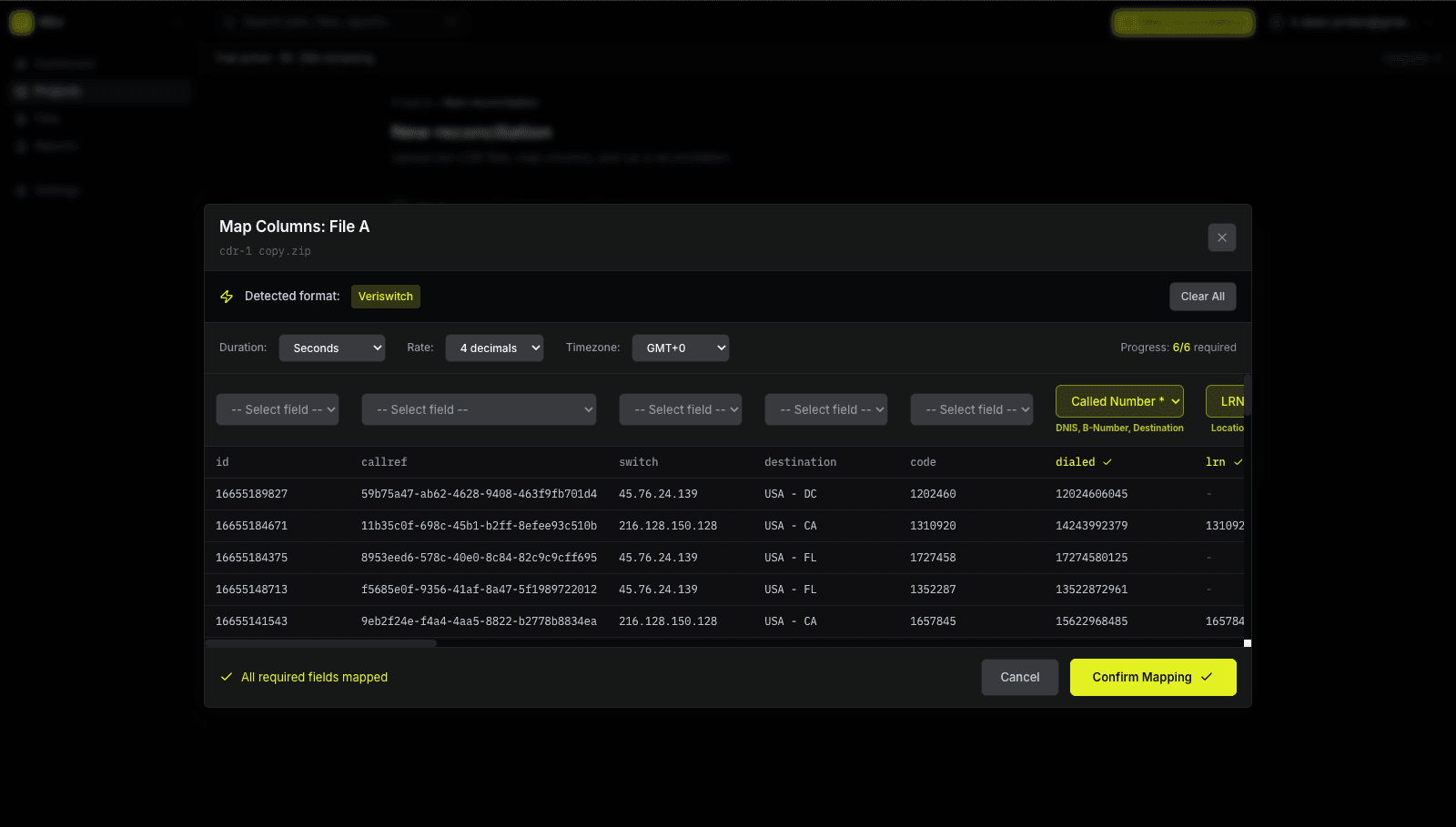
Reconciliations now run inside authenticated organization workspaces with persistent storage, job history, and downloadable reports.